Document Generation
The Document Generation feature allows creating Word or PDF documents linked (defined) to the process based on data collected in the system for a given case. It enables automation of this step and standardization of documentation from one place.
Information about the Generated Document
The document is generated based on:
- Task (case) data
- Selected template
- Generating user
- Generation date
- Other variables defined in the template
Document Generation Process
- The user opens the task details.
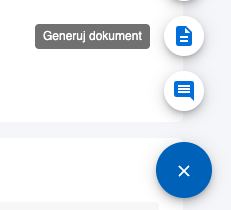
- Selects the "Generate Document" option from the floating menu.
- Chooses the document template and file format: PDF (default) or Word.
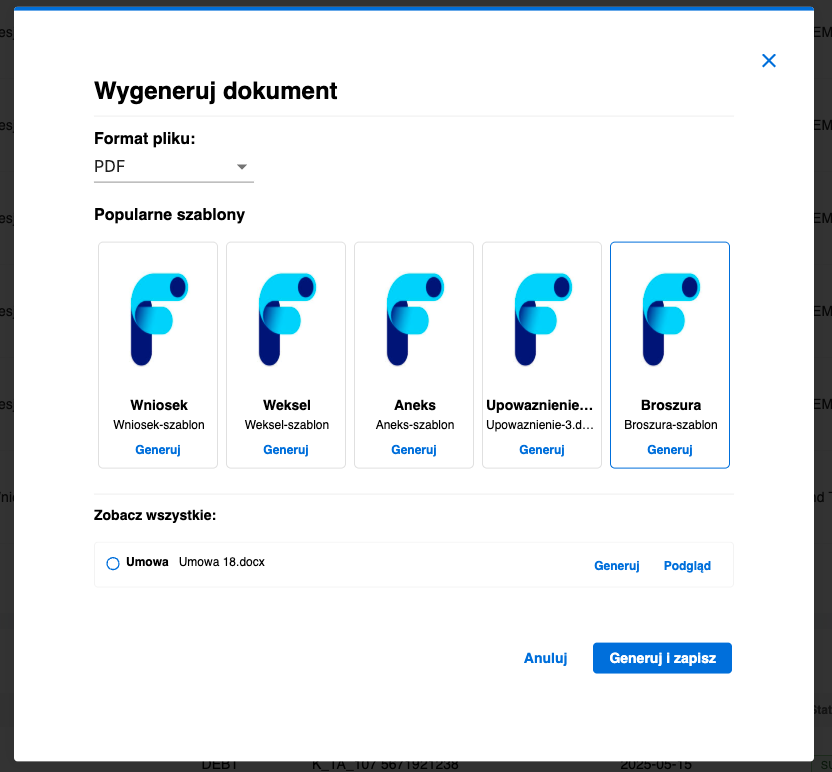
- Confirms the document creation.
Effects of Document Generation
- The document is created and linked to the task.
- The user can download or send the document using functions like return for completion, transfer to another user, or send via email directly from Task Manager.
Document Preview
The task details display a list of generated documents with dates and users.